
Templates / Worship
Bulletin
You will have: this week’s bulletin in Word, made from last week’s, in your own words and a cleaner layout.
- 5 steps
- About 2 hours the first week, 30 minutes a week after that
- Free
- Checked
You will need: last week’s bulletin as a Word file or PDF, this week’s hymns and announcements, and Claude or ChatGPT.
Every template comes with the steps to finish it with your AI.
Step 1 of 5: Give it last week’s bulletin
Your part
Make a folder called worship/bulletins and save last week’s bulletin and Our bulletin in it. Give both to your AI, then read what it wrote and correct it.
Claude’s part
Reads your bulletin and fills in Our bulletin: every part of the service in order, who says it, and which parts stay the same, come from the day or change each week.
The prompt
I am attaching two files: last week’s bulletin from our church, and a page called our-bulletin.md. Read the bulletin from start to finish and fill in our-bulletin.md from it. List every part of the service in order, with who says it, and mark each part Same (the same words every week), Day (from the day, such as the readings and the collect), Week (chosen each week, such as hymns and announcements) or Season. For each part that stays the same, say where its words come from if the bulletin or your knowledge of our prayer book tells you, and give the page. Where our words differ from the prayer book, write down both, and do not correct ours. Fill in the church’s name, address, services and the look as far as the bulletin shows them. Leave anything you could not read or are not sure of in [brackets]. Hand our-bulletin.md back to me as a file, then tell me in a short list what you were not sure of.
Asks for your email the first timeYou are done when
Our bulletin lists every part of your service in order, and you have corrected it.
How St. Clement’s did it
St. Clement’s started from its Christ the King bulletin, 16 pages. Our bulletin came back listing 30 parts of the service and every place the parish’s words differ from the Prayer Book on purpose, such as “and became truly human” in the Creed. It marked what one bulletin could not tell it, such as whether the confession changes in Lent.
Step 2 of 5: Get it back in a cleaner layout
Your part
Give your AI last week’s bulletin, Our bulletin and the starter file. Open what comes back in Word and read it beside the old one, page by page. The new layout is more open, so it often runs longer; you can set the number of pages in the next step.
Claude’s part
Makes the same bulletin again in Word: the part of the service on the left, who speaks next to it, the people’s words in bold and instructions in italics. It keeps every word of yours.
The prompt
I am attaching three files: last week’s bulletin from our church, our filled-in our-bulletin.md, and bulletin-starter.docx, a sample bulletin in Word. Make last week’s bulletin again as a Word file in the layout of the starter: each part of the service named on the left, who speaks next to it, the people’s words in bold, and instructions such as “Please stand” in italics. Use the starter’s named styles (Section heading, Part label, Speaker, Leader, People, Instruction, Hymn, Announcement). Keep every word of our bulletin, in the same order, including the readings, the announcements and the small print. Do not change any wording. Use our name and address on the cover, and keep the starter’s typefaces unless our-bulletin.md names our own. When you are done, compare the two from start to finish and list anything from our bulletin that is not in the new one. Hand it back as a file named our-bulletin.docx.
Have a brand book? Add this
I am also attaching our brand book. Use its typefaces, colors and logo rules for the bulletin. If one of its typefaces is not on a usual computer, tell me and use the closest common one.
Asks for your email the first timeYou are done when
A Word file of last week’s bulletin in the new layout, with nothing missing. You have read it beside the old one.
How St. Clement’s did it
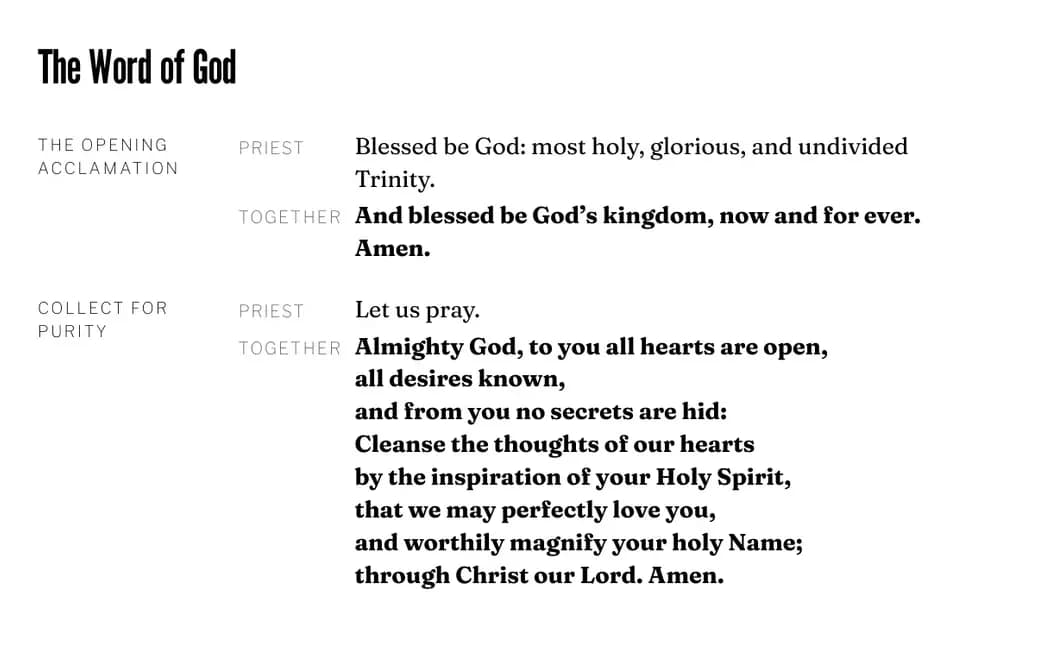
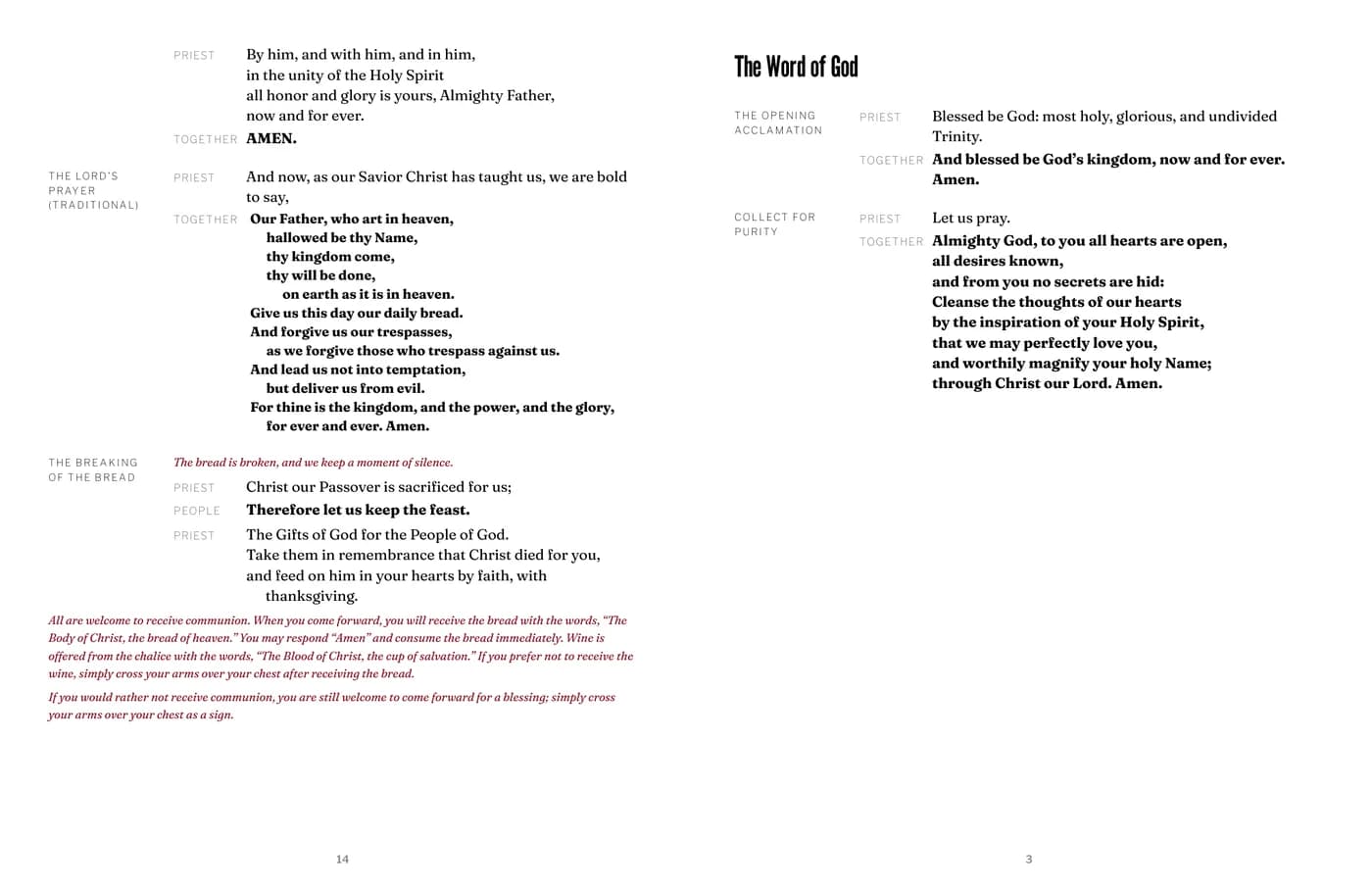
St. Clement’s got back a 14-page Word file with every word in place and the hymn music carried over as pictures. It said what it could not keep: the rounded corners on the announcements box. The priest then asked for 16 pages, for a folded booklet, in the next step.
Step 3 of 5: Lock the changes you want
Your part
Read the new bulletin and write down what you would change: a word, a heading, the order, the size of the type. Give your list to your AI. Repeat until you are happy, then stop.
Claude’s part
Makes each change in the Word file and writes it under Locked in Our bulletin, with the date, so it holds every week after.
The prompt
I am attaching our-bulletin.docx and our-bulletin.md. Here are the changes I want: [your list, for example: make the type larger; print the psalm with the people’s verses in bold; always end with the announcements; spell our organist’s name Darryl]. Make each change in the Word file. Then add each one under Locked in our-bulletin.md, with today’s date, written so that someone making next week’s bulletin would follow it. If a change would alter the words of a prayer, ask me before you make it. Hand both files back.
You are done when
One Word file you are happy with, saved as worship/bulletins/our-bulletin.docx, and every change you asked for listed under Locked.
How St. Clement’s did it
St. Clement’s locked the wording of seven prayers that appear every week, including which parts follow the Prayer Book word for word and which keep the parish’s own wording. Each week’s bulletin is checked against that list before it prints.
Step 4 of 5: Make this week’s
Your part
Fill in This week: the date, who is serving, the hymns and the announcements. Give it to your AI with your Word file and Our bulletin. Check the readings it found against your own lectionary calendar.
Claude’s part
Finds the day’s readings, psalm and collect from a published lectionary and your prayer book, with the link for each. Then it makes this week’s bulletin from your Word file, changing only what the date and your page change.
The prompt
I am attaching three files: our bulletin in Word (our-bulletin.docx, last week’s or our locked one), our-bulletin.md and this-week.md. Make this week’s bulletin. First, for the date in this-week.md, find the name of the day, the readings, the psalm and the collect, using the lectionary, translation and prayer book named in our-bulletin.md. Use a published source, such as lectionarypage.net for the Episcopal Church, and give me the link for each. If you cannot find a source, say so and do not guess. Then copy our Word file and change only what comes from the day or from this-week.md: the cover, the readings, the psalm, the collect, the hymns, the names and the announcements. Keep everything under Locked in our-bulletin.md. If a hymn or song is the same one printed in our Word file, keep it as it is printed there, music and words included. For a new hymn, print its number and title, and where our bulletin prints music or words, leave [music for this hymn here] for me to add, unless this-week.md gives words we may print. If you cannot copy a reading’s full text from a source, put its citation and [paste the reading here], and tell me where to copy it from. Fill in the bottom table of this-week.md. Hand back bulletin.docx and this-week.md, and list every change you made from last week.
Faster with Church Labs: tell Claude “Make this week’s bulletin”.
Asks for your email the first timeYou are done when
This week’s bulletin in worship/bulletins and the date, with a list of every change from last week and where each one came from.
How St. Clement’s did it
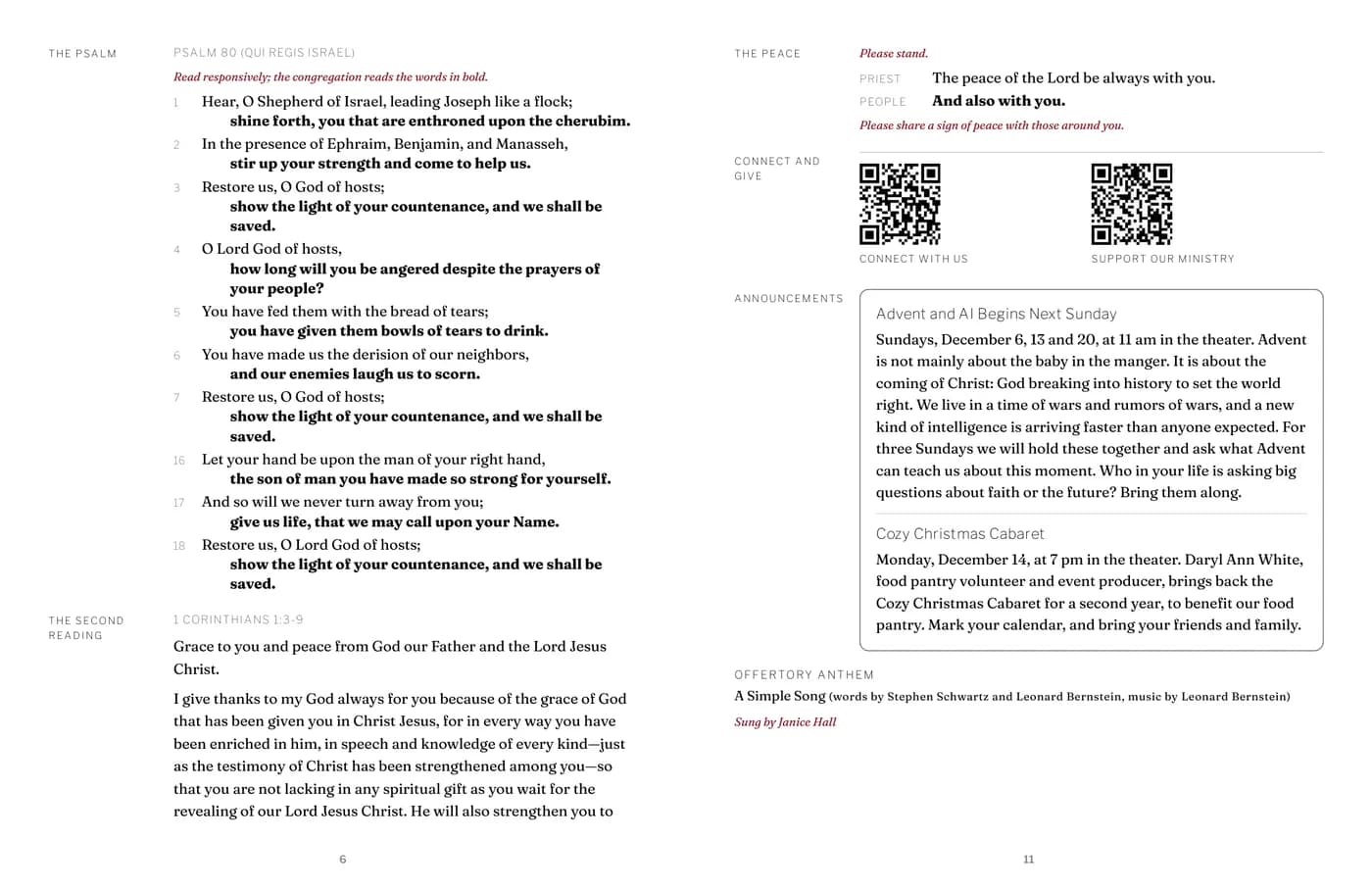
For the First Sunday of Advent, the hymns, the preacher and two announcements came from the priest. The readings (Isaiah 64, Psalm 80, 1 Corinthians 1, Mark 13) and the collect came from The Lectionary Page and the Prayer Book. Advent also changed the order: the confession moved to the start, and a candle is lit on the Advent wreath.
Step 5 of 5: Check it, then print
Your part
Ask your AI to check the bulletin. Then print one copy, read it through with a pen, and fix what you find. Print the rest and save the PDF in this week’s folder.
Claude’s part
Checks the date and the day’s name, every citation against its source, every name against Our bulletin, the locked changes, and the page count for a folded booklet.
The prompt
I am attaching this week’s bulletin.docx, our-bulletin.md and this-week.md. Check the bulletin before I print it, and do not change it. Check: 1. The date, time and day’s name on the cover match this-week.md. 2. Every reading citation and the psalm match the table in this-week.md. 3. Every name is spelled the way our-bulletin.md and this-week.md spell it. 4. Every change under Locked in our-bulletin.md is kept. 5. Nothing is left in [brackets], and no part of the order in our-bulletin.md is missing. 6. The people’s words are in bold. 7. How many pages it has, and whether that is a multiple of 4 for a folded booklet; if not, say where a page could be added or saved. List each problem with its page, or say the bulletin passed that check.
You are done when
A printed bulletin, the PDF saved beside the Word file, and nothing left in [brackets]. Next week starts again at Make this week’s.
How St. Clement’s did it
St. Clement’s Advent bulletin came to 16 letter pages, printed on four large sheets folded into a booklet, so page 14 sits beside page 3. The priest approved it eleven days before the service.
When you finish
Next in Worship: Sermon video. Bring what you made to the open house and show it.
The weekly open house
Free and live. Next: Monday, November 30 at noon Eastern, on building great vestry reports with Claude. Bring what you are working on.